1. What’s New in Agora
This page highlights the major new capabilities of Agora, starting with what is new in version 8. Each feature is designed to reduce manual work, improve collaboration, and give you greater control over how your data is managed. For the complete list of changes see the Changelog.
1.1. Anatomy Detection — Know What Is in Your Data
Highlights
No manual labelling — Studies are classified automatically shortly after import, and existing data is picked up by a nightly job.
Cardiac labels — Series of cardiac Studies get a short label such as
CINE-SAXorT1-4CH.Searchable — the detected values are found by the quick search.
Optional tags — per project, show the anatomy as a badge in the Tags column or turn it into a real tag you can filter on.
You stay in control — every detected value shows its confidence and can be corrected by hand; a manual value is never overwritten.
1.2. Task Store — Share Tasks and Triggers
Highlights
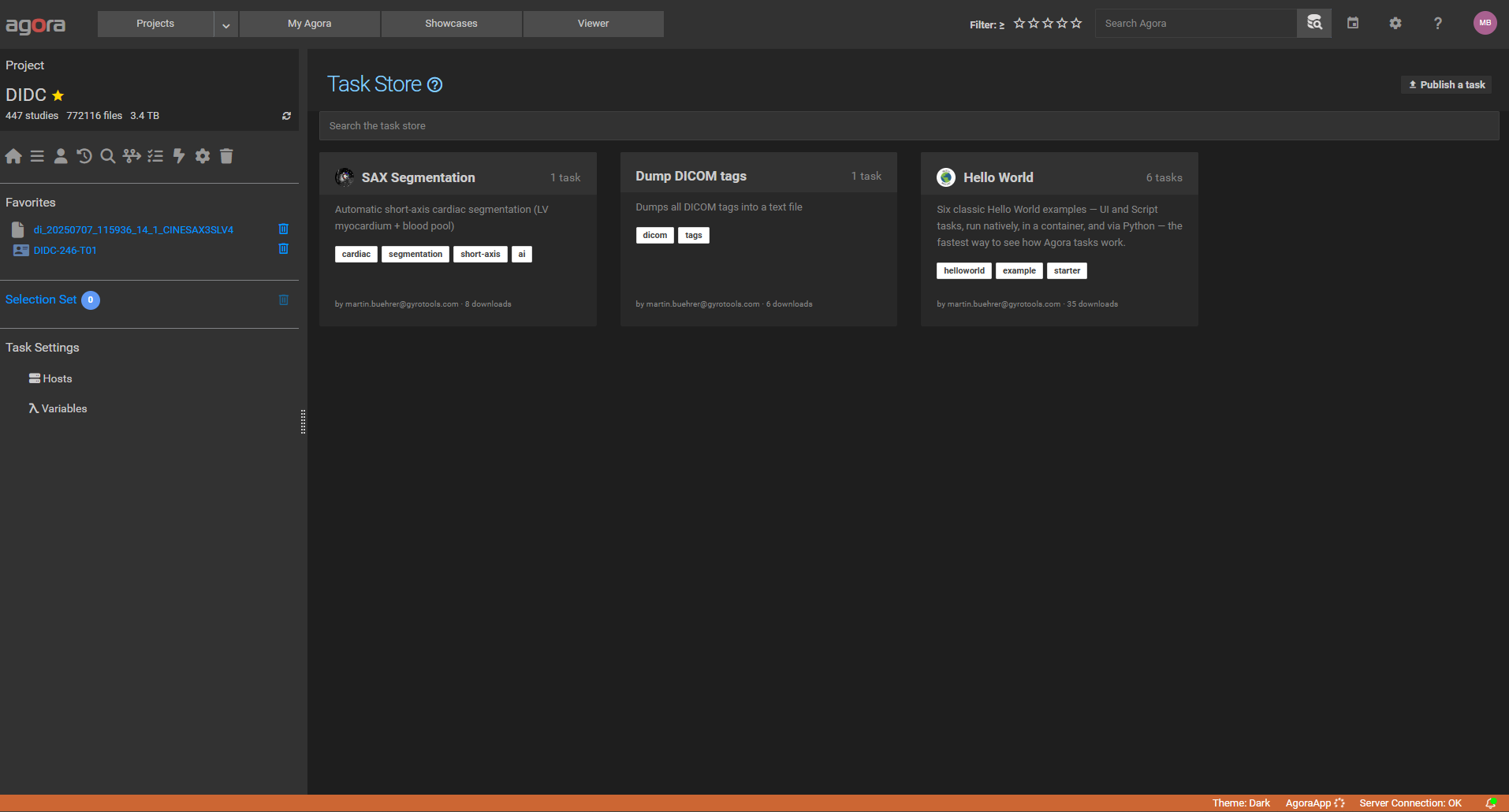
Browse and import — search the store and import a Task or Trigger into the current project.
Publish — share a Task or Trigger from your own project, and edit or remove your entries later.
Export and import files — Tasks and Triggers can also be exchanged as
.jsonfiles, and copied or moved between projects.Valid column — the Task and Trigger lists flag definitions that still need configuration after an import.
1.3. Booking Access Control — Decide Who Books What
Highlights
Roles per resource — Manager, User, Observer, or No access, with a default role for everyone else.
Resource managers — manage the resource, its bookings, and its statistics, and book on behalf of other users.
Booking limits — restrict how far ahead and how long a resource can be booked, set a weekly quota per user, and define how long a past booking may still be corrected.
1.4. Triggers — Automated Workflows with Python
What changed
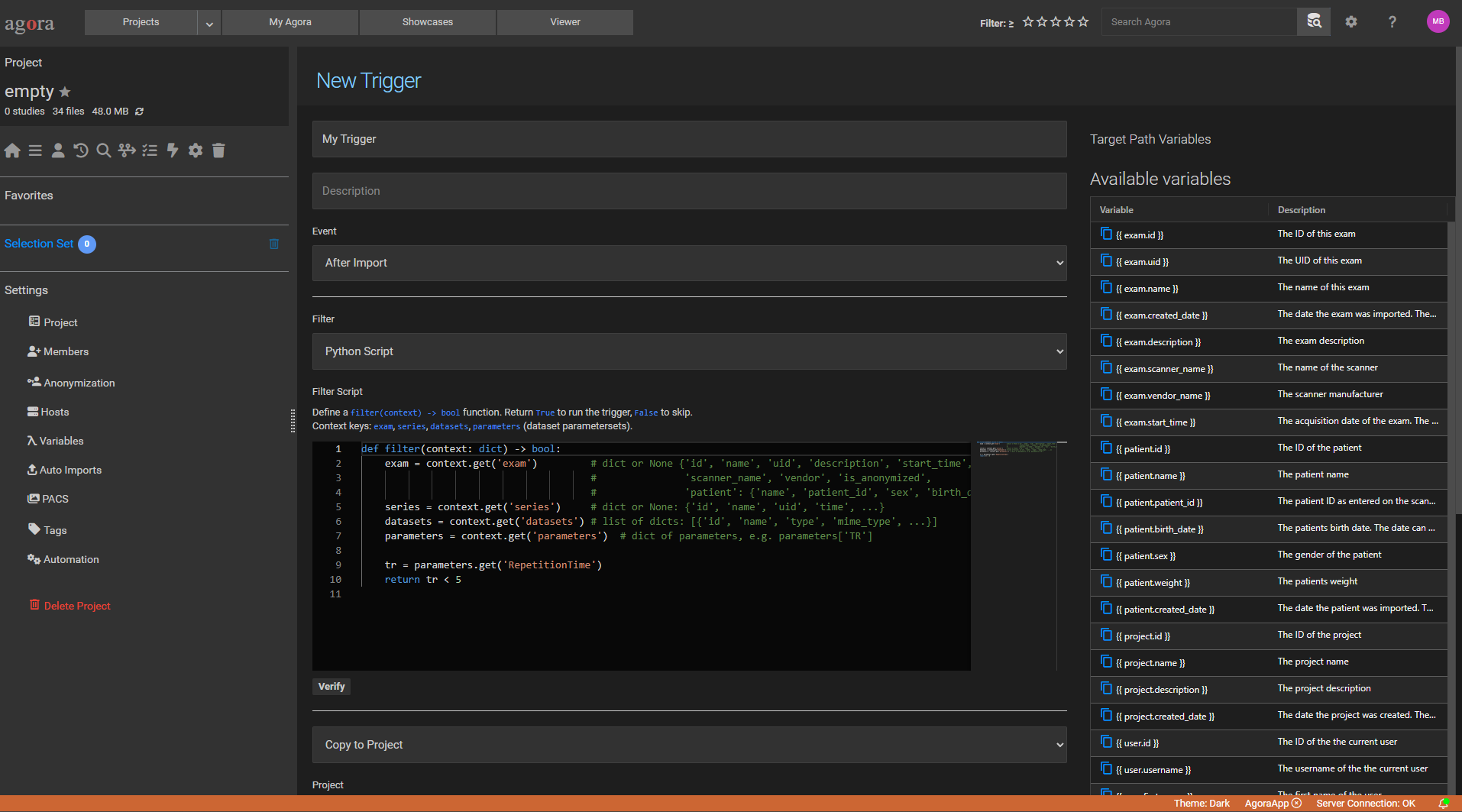
Python script filter — write arbitrary Python logic to decide whether a trigger fires: filter by acquisition parameter, scanner name, patient metadata, or any combination.
Python script action — perform multiple operations in one step: rename the object, create folder structures, link or move it, apply tags, copy to another project, and attach custom parameters — all from a single
run(context)function.New events — for example ParameterSet Created (fires when a user submits a parameter form), Tag Added, Manual (triggered on demand), and many more.
New actions — for example Rename, Add Tag, Add Parameter, Send Email, Log Message, and many more.
Variables with project counters — use named variables in folder-path expressions to auto-assign sequential numbers to incoming studies.
Configurable delay — data-arrival events can be delayed so the action runs after all series have arrived.
1.5. Parameter Forms — Structured Metadata Collection
Use cases
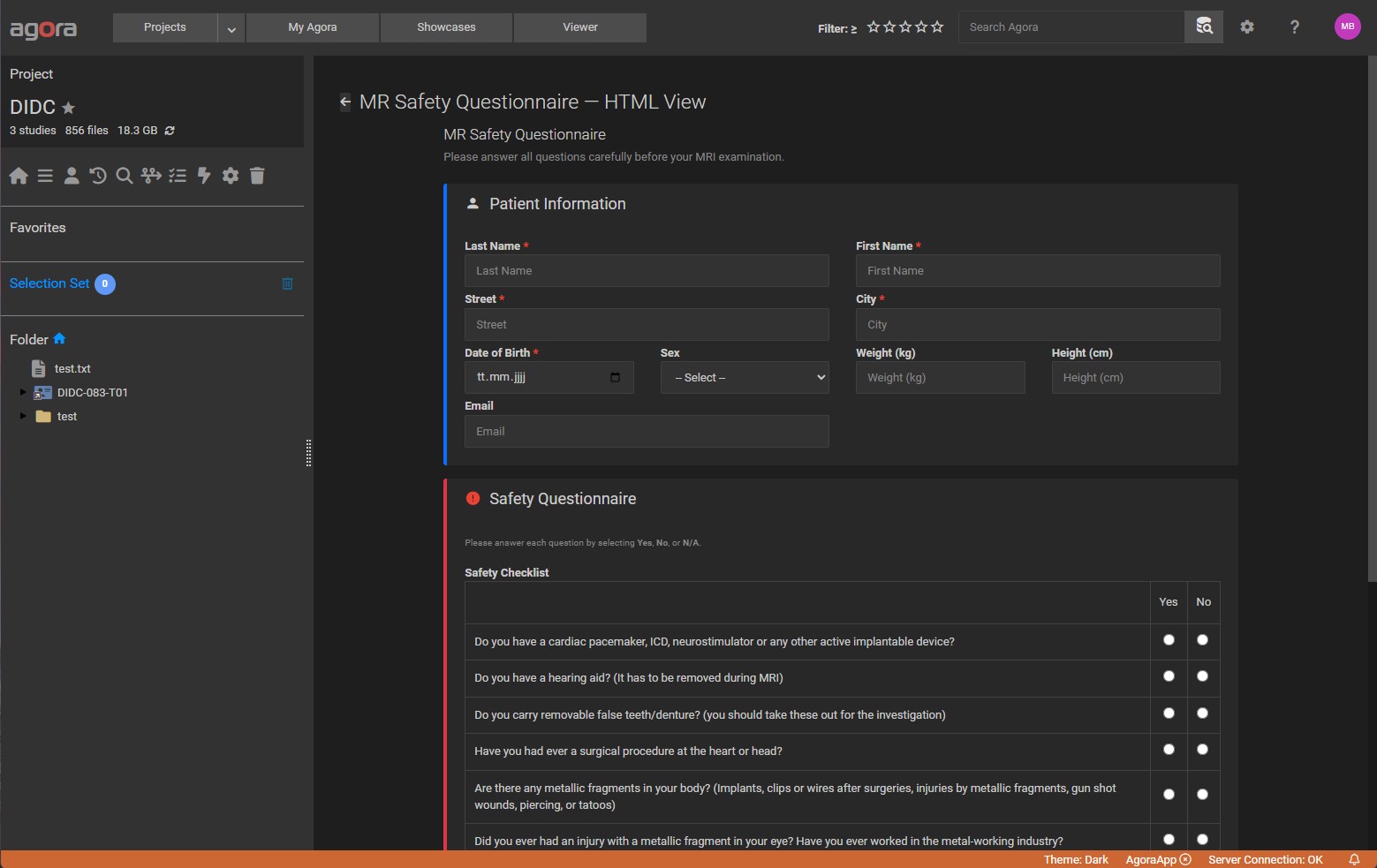
Quality-assurance checklists attached to each exam after review
Subject recruitment forms with controlled vocabularies
Acquisition notes for scanner settings
Post-processing result capture (scores, grades, classifications)
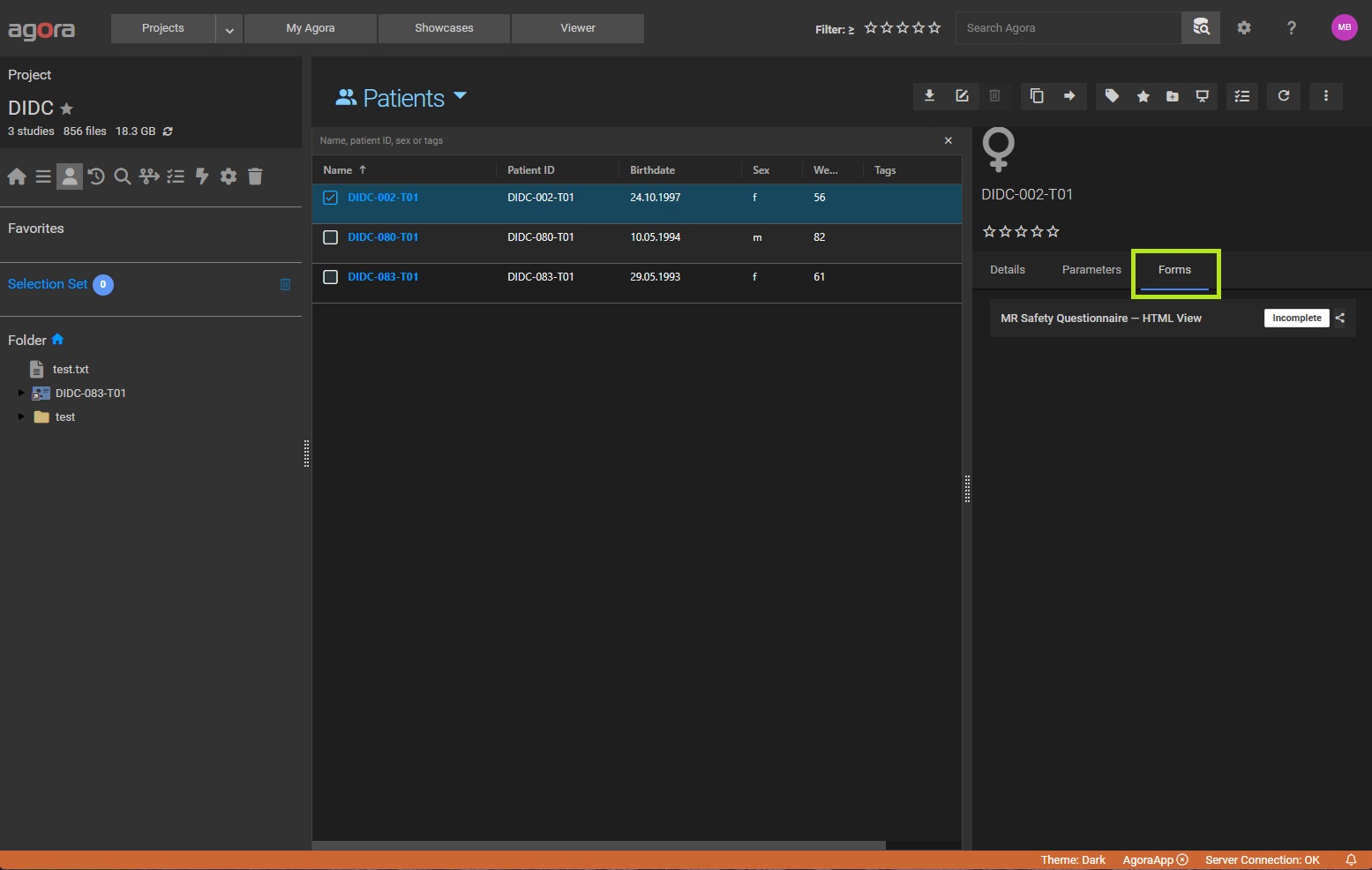
Two template types
Type |
Description |
|---|---|
Field List |
A straightforward list of fields rendered automatically — each field on its own row with its label, input control, and help text. The right choice for most forms. |
HTML Layout |
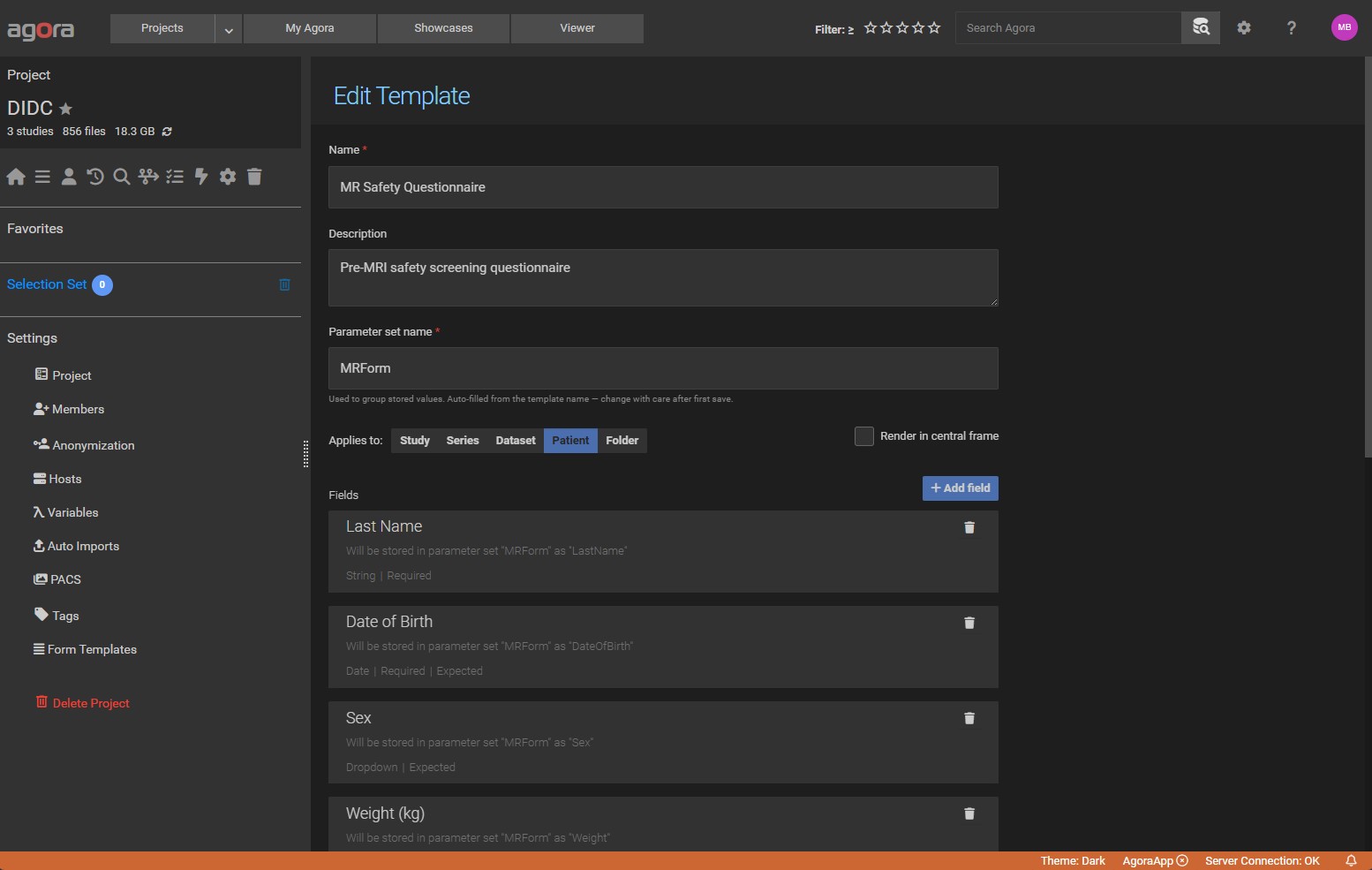
An HTML document you write yourself with |
1.6. Booking System — Schedule Shared Resources
Highlights
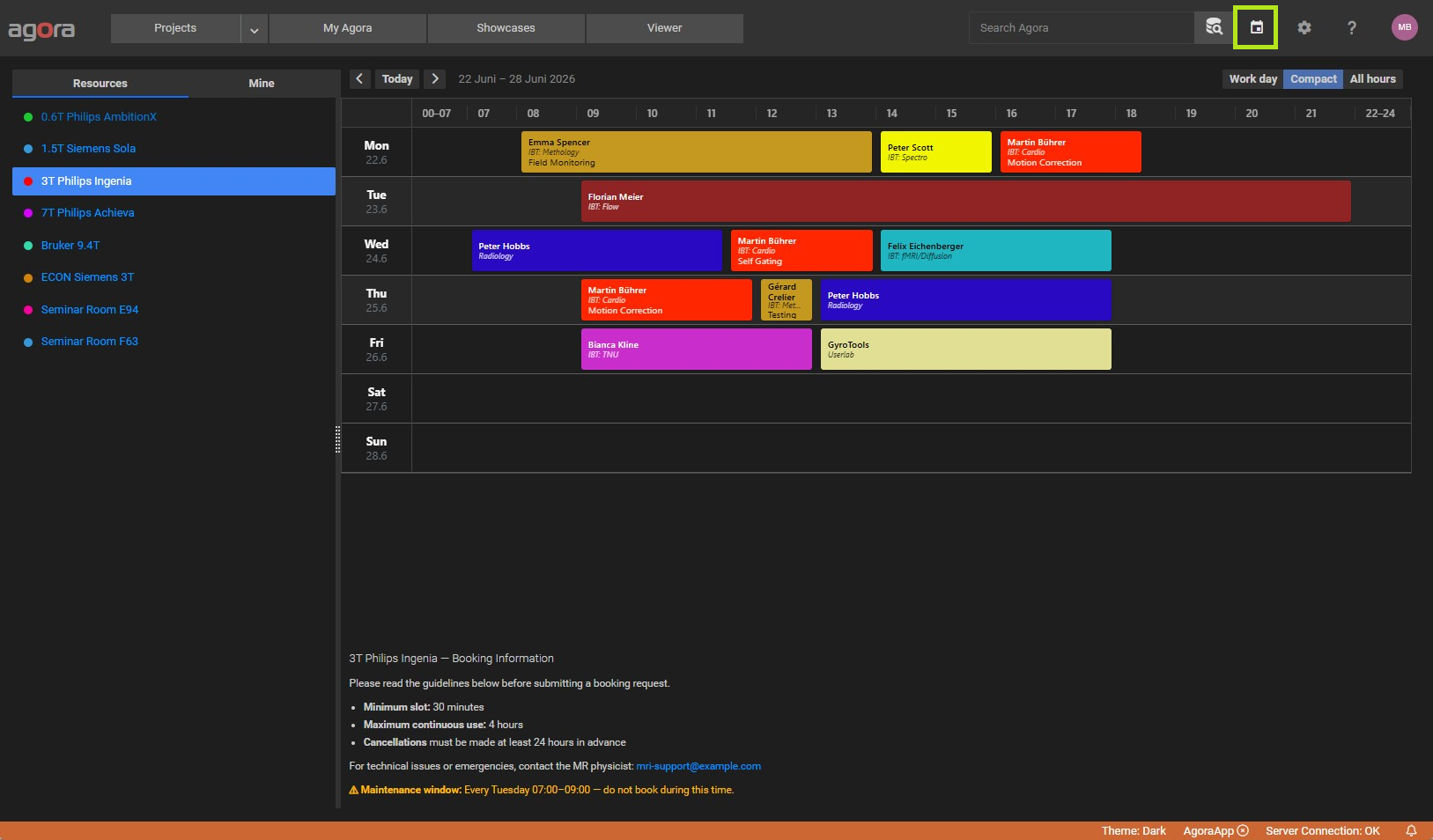
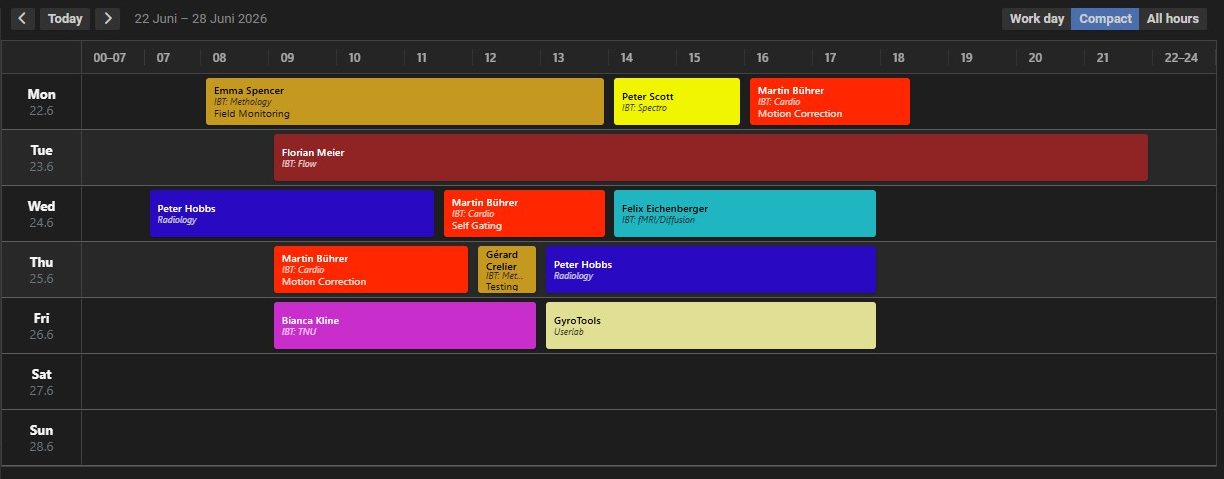
Weekly calendar grid — one column per day, time-stepped rows, color-coded per resource.
Conflict detection — overlap warnings list conflicting bookings and their owners before you save.
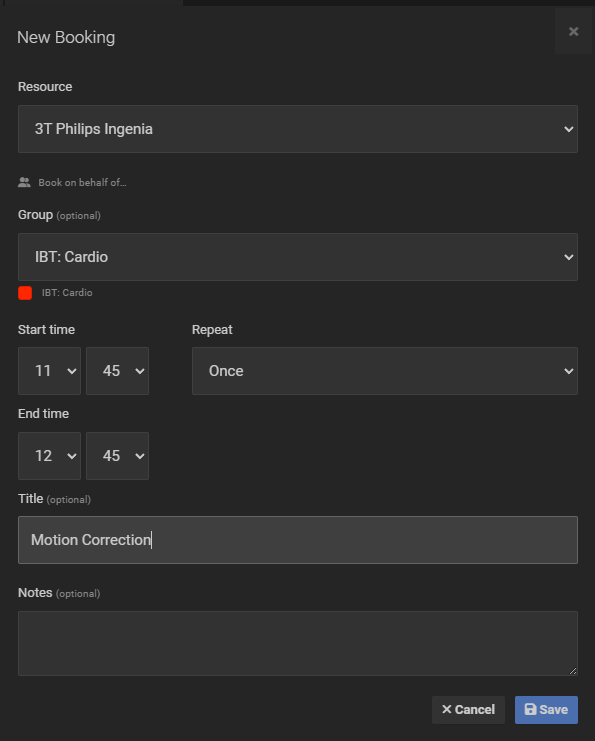
Recurring bookings — create a repeating series (daily, weekly, or monthly) in one step.
Book on behalf — managers can create bookings for other users.
Admin view — manage resources and groups, and review usage statistics per resource.
1.7. Project Sync & Data Transfer — Connect Agora Instances
1.7.1. Project Synchronization
Two one-way, additive operations keep projects in sync. Data is never deleted from either project.
Operation |
When to use it |
|---|---|
Push to… |
Send new data from the current project to a central archive or a remote Agora instance. |
Pull from… |
Bring the current project up to date from a remote or colleague’s project. |
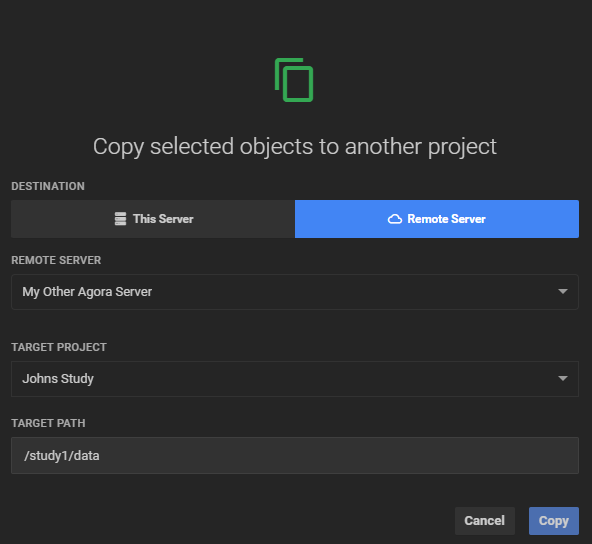
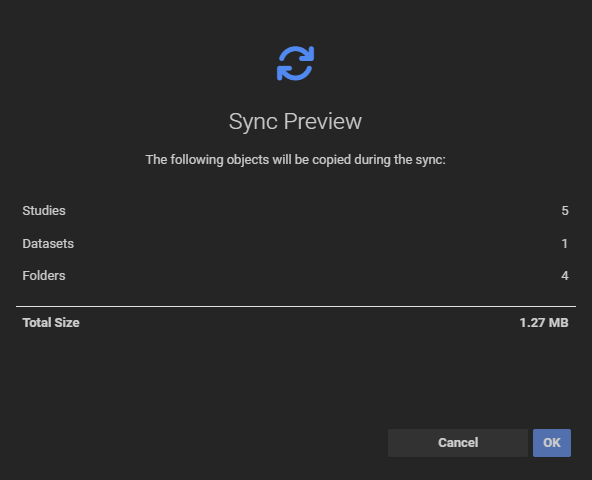
Both operations support local projects and remote Agora instances connected via an Agora Server host. Before transferring, Agora shows a Transfer Preview with counts and total data size — nothing moves until you confirm.
1.8. DICOM Auto-Routing — Route Incoming Data Automatically
How it works
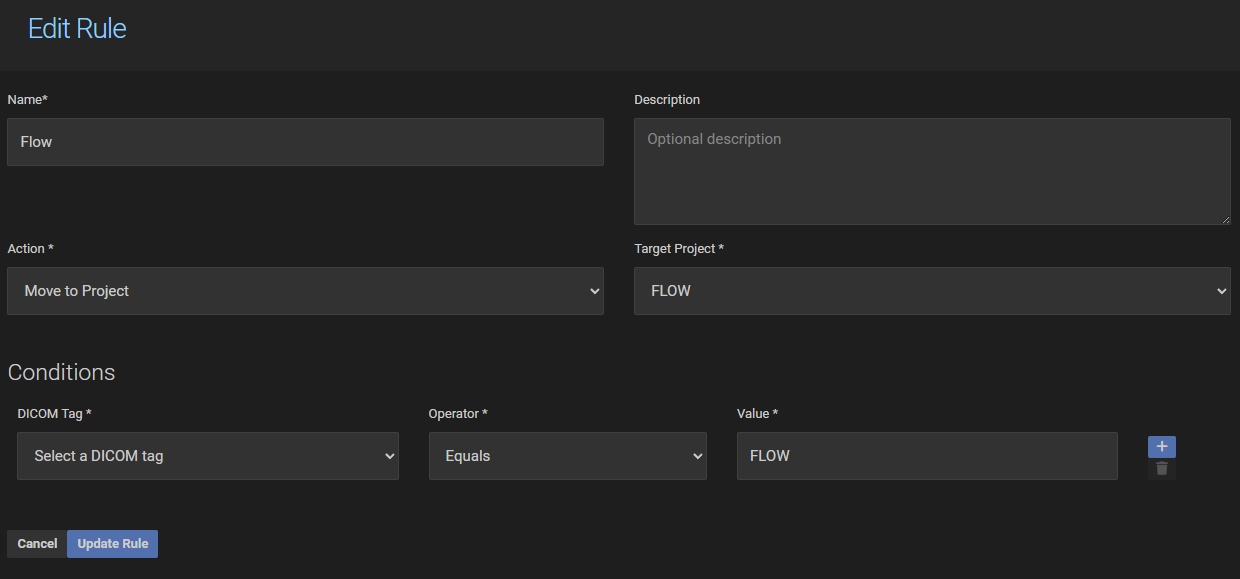
Each rule has an action (Move to Project or Ignore) and one or more conditions on DICOM tags. When a study arrives on the Agora DICOM node, the rules are checked in sequence. The first rule whose conditions all match is applied; if no rule matches the study falls through to the default project.
Conditions can test any DICOM tag (e.g. Patient ID, Study Description, Modality) against a value using operators such as Equals, Contains, Greater Than, and more. Multiple conditions within a rule are combined with AND or OR logic.