13. Hosts
A Host represents an external server or service that Agora can connect to. Depending on the host type, a configured host enables different functionality within a project: running tasks on remote machines, pulling Docker container images, connecting to DICOM nodes, or copying data to another Agora server.
Hosts are configured per project in the project settings under Hosts.
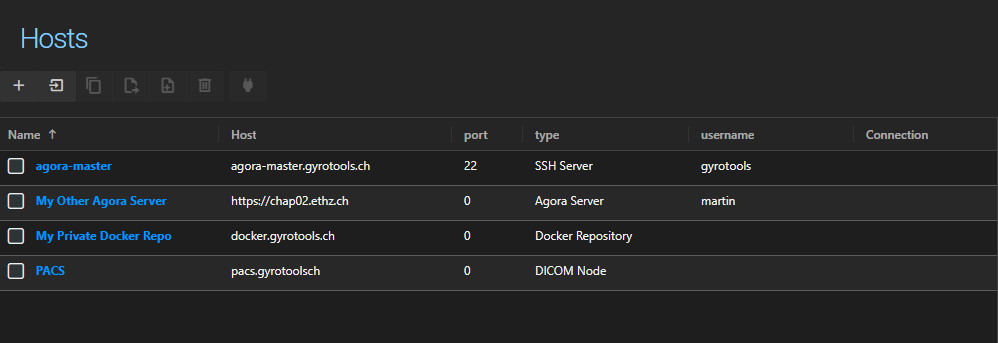
13.1. Adding a Host
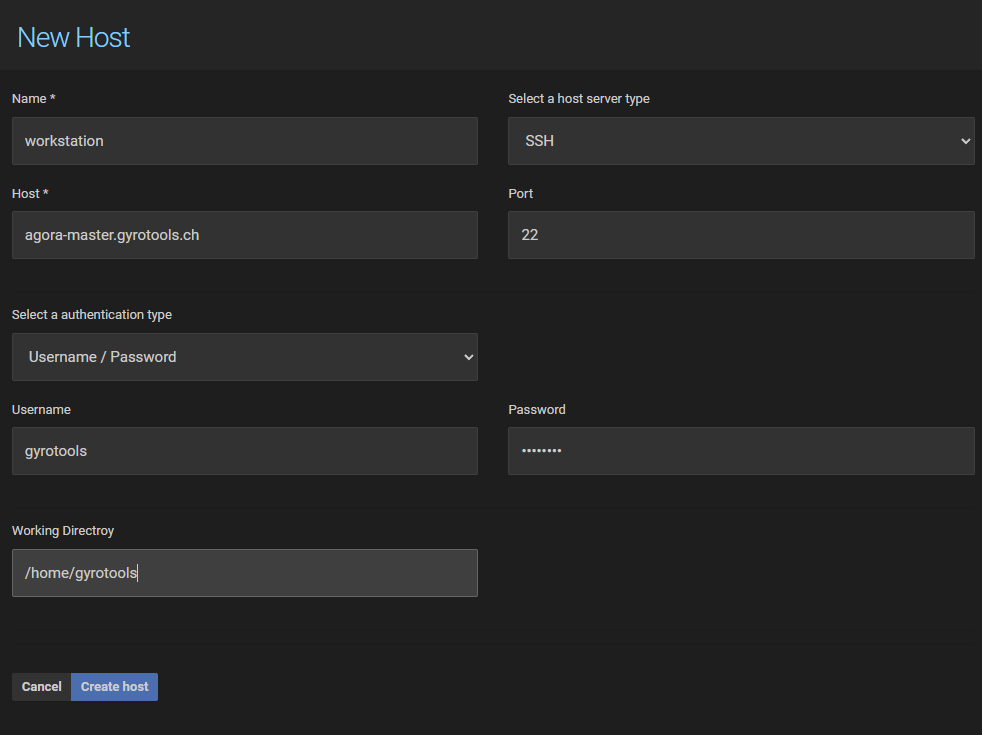
Click the button in the toolbar to open the host form. The available fields depend on the host type selected.
Fields common to all host types:
Name — a descriptive label for the host, used throughout the project settings and task definitions.
Host — the hostname, IP address, or URL of the remote server.
Type — determines what the host is used for (see Host Types below).
13.2. Host Types
13.2.1. SSH Server
An SSH host connects Agora to a remote Linux or Windows server over SSH. SSH hosts are used as task execution targets: when a task is configured to run on a host, Agora will connect to the specified SSH server, transfer the necessary files, and execute the task there.
Additional fields for SSH hosts:
Port — SSH port, defaults to 22.
Authentication Type — see Authentication below.
Working Directory — the base directory on the remote server where Agora will stage files and execute tasks. Required. A leading
~is expanded to the home directory of the user on the host (e.g.~/agora_tasks).
13.2.2. Docker Repository
A Docker repository host points to a container registry (e.g. Docker Hub or a private registry). Docker repository hosts are used in task definitions to specify where Agora should pull the container image from when executing a task inside a container.
Additional fields for Docker repository hosts:
Port — registry port.
Authentication Type — see Authentication below. Required for private registries.
13.2.3. DICOM Node
A DICOM node host represents a PACS or other DICOM-capable system. Configured DICOM nodes are available in the PACS integration module for querying and retrieving medical imaging data.
Additional fields for DICOM node hosts:
Port — DICOM port, typically 104 or 11112.
AE Title — the Application Entity title of the remote DICOM node.
13.2.4. Agora Server
An Agora Server host connects your project to another Agora instance. Once configured, you can copy objects directly to a remote Agora instance without downloading and re-uploading data. See Managing Data for instructions on how to use this feature.
Additional fields for Agora Server hosts:
Host — the full URL of the remote Agora instance (e.g.
https://agora.example.com).Authentication Type — Username/Password or API Key.
13.3. Authentication
SSH Server and Docker Repository hosts support the following authentication types:
Username / Password — standard credential-based authentication. The password is stored encrypted.
SSH Key — authenticates using an SSH private key (PEM format). An optional passphrase can be provided if the key is encrypted.
Prompt — no credentials are stored. Agora will prompt for credentials when the host is first used in a session.
Agora Server hosts support:
Username / Password — authenticates against the remote Agora instance.
API Key — authenticates using an API key generated on the remote instance. This is the recommended method for server-to-server connections.
13.4. Testing the Connection
To verify that Agora can reach a host and that the credentials are correct, select the host in the list and click the Check Connection button in the toolbar. Agora will attempt to connect and report success or an error message.

13.5. Global Hosts
Your Agora system administrator may define global hosts that are available to all projects. To import a global host into your project, click the Import button in the toolbar and select it from the list.
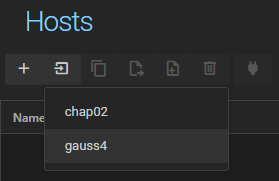
Imported global hosts behave the same as project-specific hosts and can be edited after import.